Overview
Almost all systems face issues related to security authentication, but security-related problems are quite troublesome. Because they do not generate direct business value and are complex and tedious to handle, they are often easily overlooked. Many major security risks that arise later are often caused by a lack of attention in the early stages. Fortunately, security issues are universal, and the problems everyone faces are almost identical. Therefore, industry standards can be formulated to regulate handling, and specialized infrastructure (e.g., AD, LDAP, etc.) can even be extracted to specifically solve these common problems. In short, security issues are very complex and troublesome. For the vast majority of 99% of systems, do not think about inventing or innovating in the field of security issues; it’s easy to fall into traps. Moreover, industry-standard solutions are already very mature and have undergone long-term verification. Therefore, in the field of security, down-to-earth adherence to specifications and standards is the best security design.
HTTP Authentication
The original HTTP authentication protocol was defined in the HTTP/1.1 standard and subsequently refined by the IETF in RFC 7235. The HTTP protocol mainly involves two authentication mechanisms.
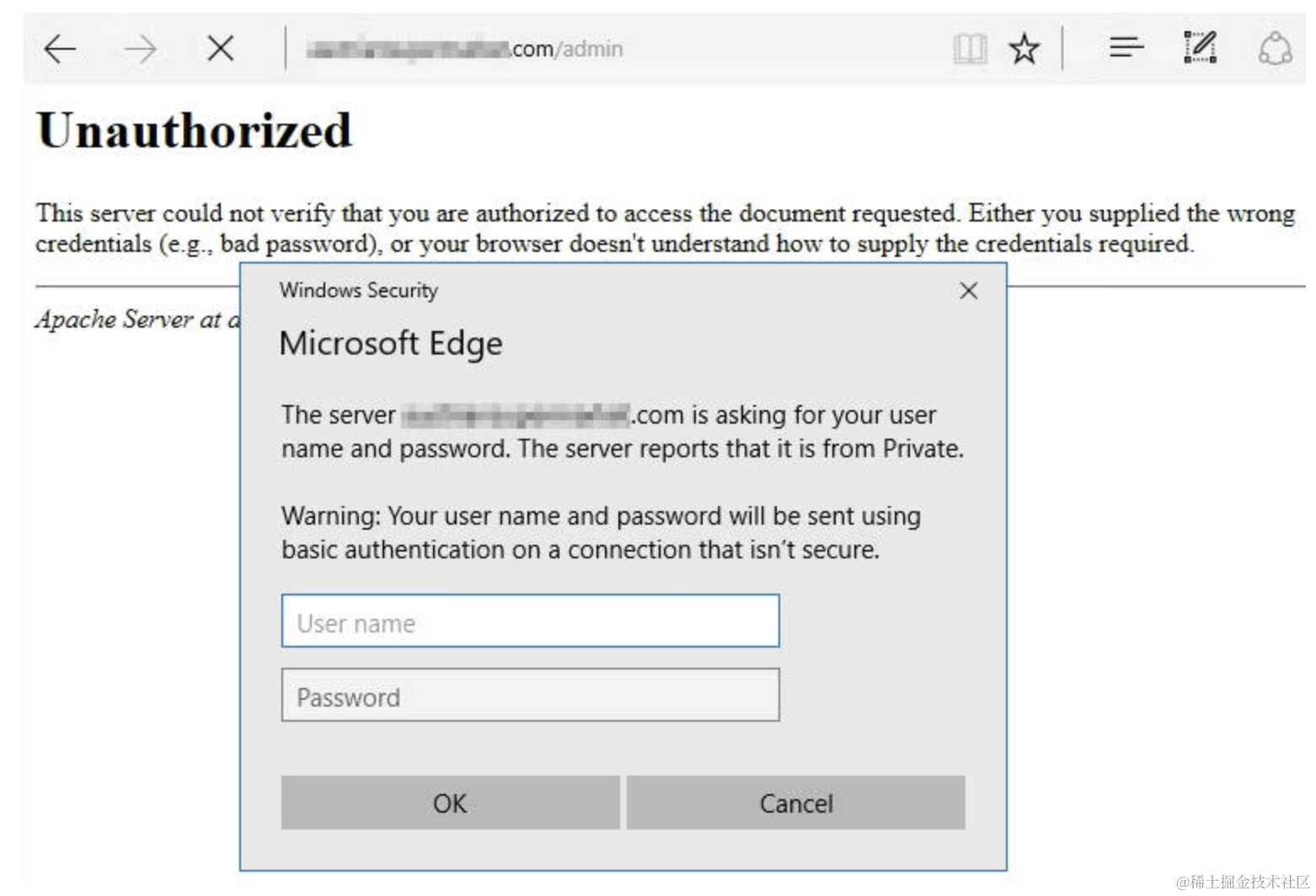
Basic Authentication
Commonly known as HTTP Basic, it is a simple authentication mechanism for low-security and demonstration purposes (such as the login interface of your home router). The client’s username and password are Base64 encoded (note: encoding, not encryption) and then placed in the HTTP request header. After receiving the request, the server decodes this field to verify the user’s identity. Example:
GET /some-protected-resource HTTP/1.1
Host: example.com
Authorization: Basic dXNlcjpwYXNzd29yZA==
Although this method is simple, it is not secure because base64 encoding is easily decoded. It is recommended to use it only under the HTTPS protocol to ensure security.
Digest Authentication
Mainly intended to solve the security issues of HTTP Basic, but it is also relatively more complex. Digest authentication uses the MD5 hash function to encrypt the user’s password and combines it with some salt values (optional) to generate a digest value, which is then placed in the request header. Even if intercepted during transmission, an attacker cannot directly recover the user’s password from the digest. Example:
GET /dir/index.html HTTP/1.1
Host: example.com
Authorization: Digest username="user", realm="example.com", nonce="dcd98b7102dd2f0e8b11d0f600bfb0c093", uri="/dir/index.html", qop=auth, nc=00000001, cnonce="0a4f113b", response="6629fae49393a05397450978507c4ef1", opaque="5ccc069c403ebaf9f0171e9517f40e41"
Note: The RFC 7235 specification also defines that a 401 Unauthorized status code should be returned when a user accesses service resources without authentication. Example:
HTTP/1.1 401 Unauthorized
WWW-Authenticate: Basic realm="Restricted Area"
This specification is currently applied in all identity authentication processes and continues to be used today.
Web Authentication
Form Authentication
Although there are standard authentication protocols for HTTP, in actual scenarios, most applications are still implemented based on form authentication. The specific steps are:
- The frontend collects the user’s account and password through a form.
- They are sent to the server for verification through a negotiated method.
A common form authentication page usually looks like this:
<!DOCTYPE html>
<html>
<head>
    <title>Login Page</title>
</head>
<body>
    <h2>Login Form</h2>
    <form action="/perform_login" method="post">
        <div class="container">
            <label for="username"><b>Username</b></label>
            <input type="text" placeholder="Enter Username" name="username" required>

            <label for="password"><b>Password</b></label>
            <input type="password" placeholder="Enter Password" name="password" required>

            <button type="submit">Login</button>
        </div>
    </form>
</body>
</html>
Why did form authentication become mainstream? There are several main reasons:
- UI Beautification: Developers can create customized login interfaces that can maintain consistency with the application’s overall design style. HTTP authentication usually pops up an ugly modal dialog box for users to enter credentials.
- Flexibility: More custom logic and processes can be added in the form, such as multi-factor authentication, password reset, and “remember me” functions. These functions are very important for improving the security and convenience of the application.
- Security: Form authentication can more easily be combined with modern security practices, supported by frameworks like OAuth 2 and Spring Security.
Form authentication transmission content and format are mostly customized with no specific standards to speak of. However, after 2019, web authentication began to release standard authentication protocols.
WebAuthn
WebAuthn is an authentication method that completely abandons traditional passwords and is based entirely on biometric technology and physical security keys as identity credentials (interested friends can try the WebAuthn 2FA authentication on GitHub). In March 2019, the W3C officially released the first version of the WebAuthn specification.
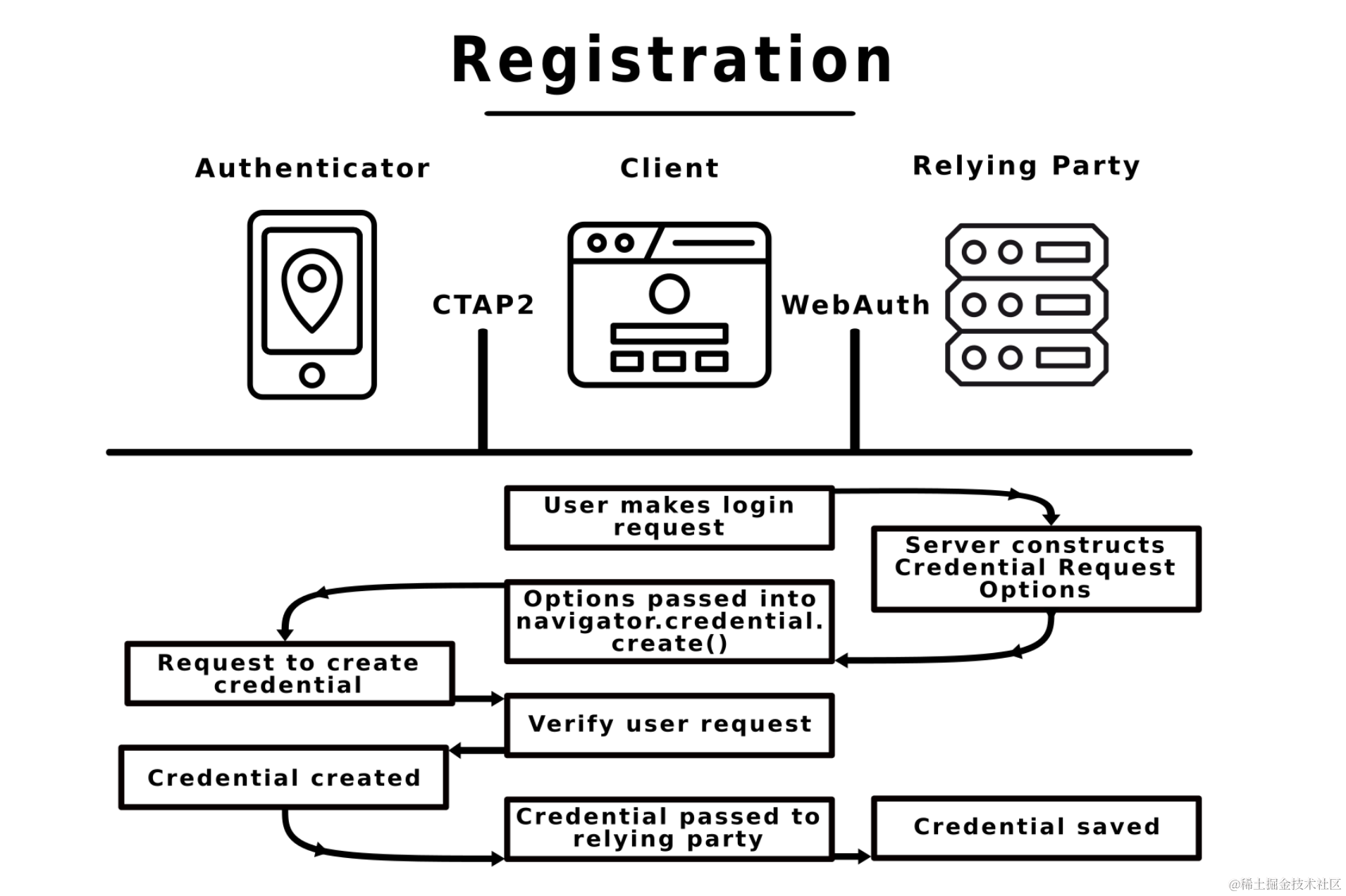
Compared to traditional passwords, WebAuthn has the following advantages:
- Reduction in Password Leaks: Traditional username and password logins are susceptible to phishing attacks and data leaks. WebAuthn, which does not rely on passwords, has no risk of password loss.
- Improved User Experience: Users do not need to remember complex passwords; they can log in faster and more conveniently using biometrics and other methods.
- Multi-Factor Authentication: WebAuthn can be part of a multi-factor authentication process, further enhancing security. Using biometrics plus hardware keys for authentication is more secure than SMS verification codes.
Overall, WebAuthn is the future of identity authentication. By providing a more secure and convenient authentication method, it aims to replace traditional password-based login methods, thereby solving some long-term problems in network security. WebAuthn is currently widely supported by popular browser vendors (Chrome, Firefox, Edge, Safari) and operating systems (Windows, macOS, Linux).
Implementation Effect
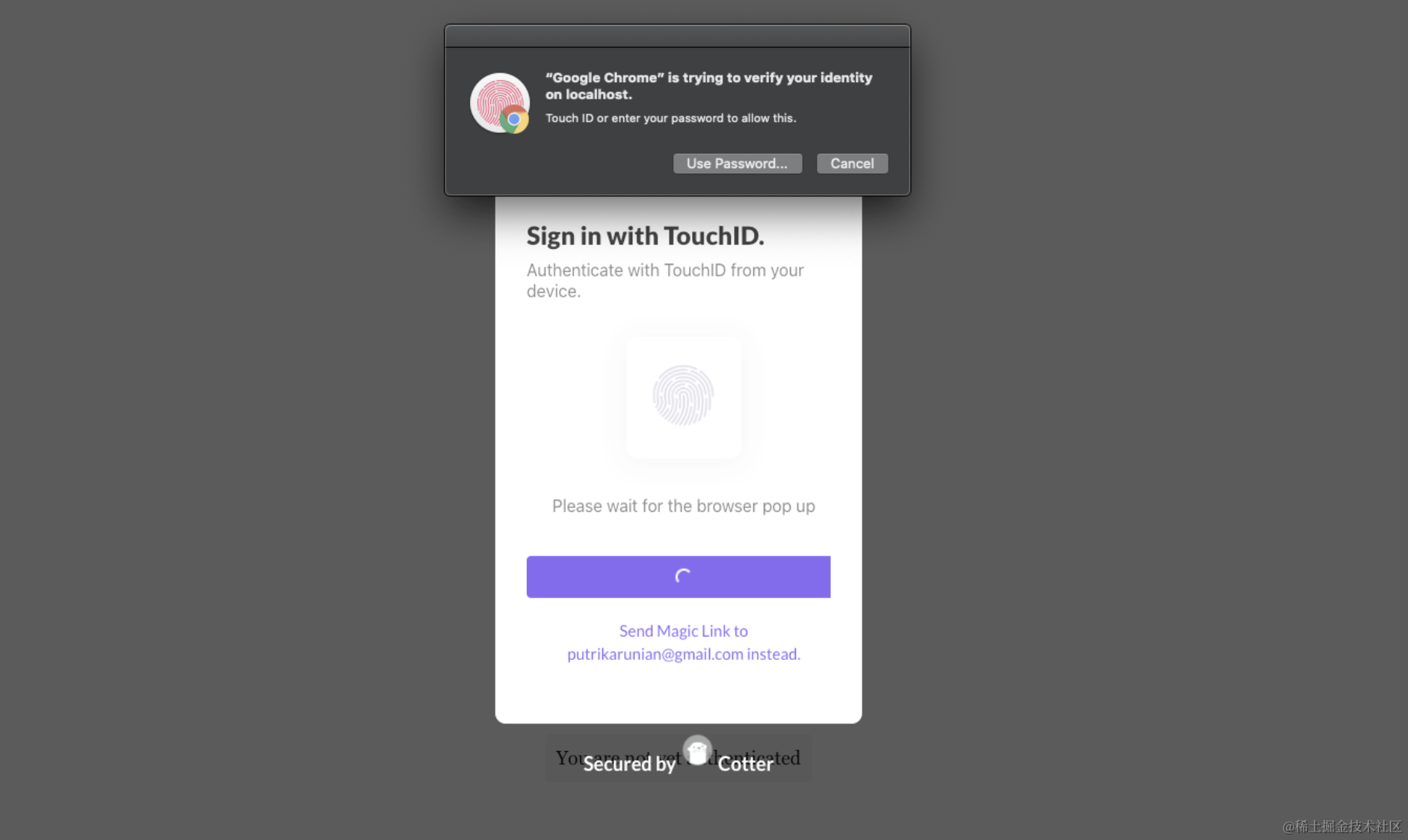
When your application integrates WebAuthn, users can authenticate through biometric devices, with the following effect:
Implementation Principle
WebAuthn’s implementation is relatively complex and is not described in detail here. For specifics, please refer to the authoritative official documentation. The approximate interaction process can refer to the following sequence diagram:
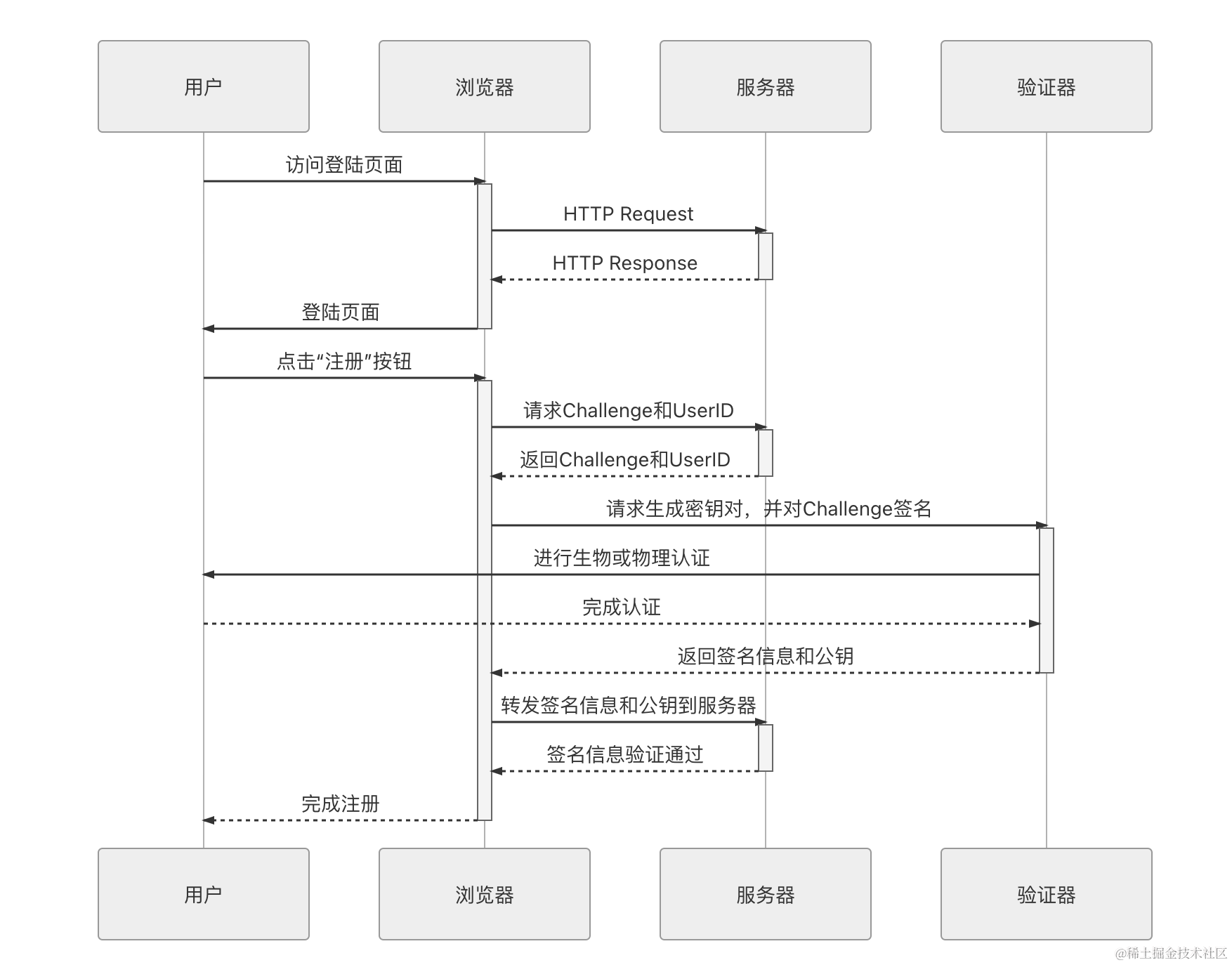
The login process can be roughly divided into the following steps:
- The user visits the login page, fills in the username, and clicks the login button.
- The server returns a random string “Challenge” and a UserID.
- The browser forwards the Challenge and UserID to the authenticator.
- The authenticator prompts the user to perform an authentication operation.
- The server receives the Challenge encrypted by the private key forwarded from the browser and decrypts it using the public key stored during registration. if decryption is successful, the login is declared successful.
WebAuthn uses asymmetric encryption public and private keys instead of traditional passwords. This is a very ideal authentication solution. The private key is secret and only the authenticator needs to know it; even the user does not need to know it, so there is no possibility of human leakage.
Note: You can find more information by visiting webauthn.me
The article is not suitable for adding too much demonstration code. For those who want to experience it firsthand, you can refer to the webauthn example program based on Java 17 and Maven provided by Okta:
- Access address: https://github.com/oktadev/webauthn-java-example